
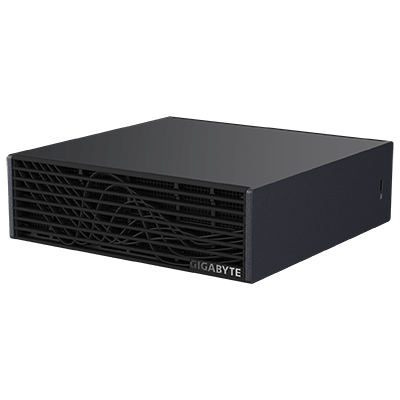
The landscape of artificial intelligence is shifting from massive cloud clusters to localized, high-efficiency workstations. The Gigabyte AI TOP ATOM stands out as a top-tier choice for researchers who require the power of a supercomputer in a desktop-friendly form factor.
As of late 2026, the demand for local AI hardware has reached a fever pitch. Data privacy concerns and the rising costs of cloud-based A100/H100 instances have pushed developers toward "Personal Supercomputers." The Gigabyte AI TOP ATOM is designed specifically for this niche, offering a unique ARM-based architecture that challenges traditional x86 workstations in efficiency and memory bandwidth.
The term "Personal Supercomputer" is often used as a marketing buzzword, but in the case of the ATOM, it refers to a specific shift in computing density. Traditionally, achieving 1 Petaflop of FP4 computing power required a rack-mounted server with significant cooling and power infrastructure. The ATOM condenses this capability into a chassis roughly the size of a small-form-factor PC.
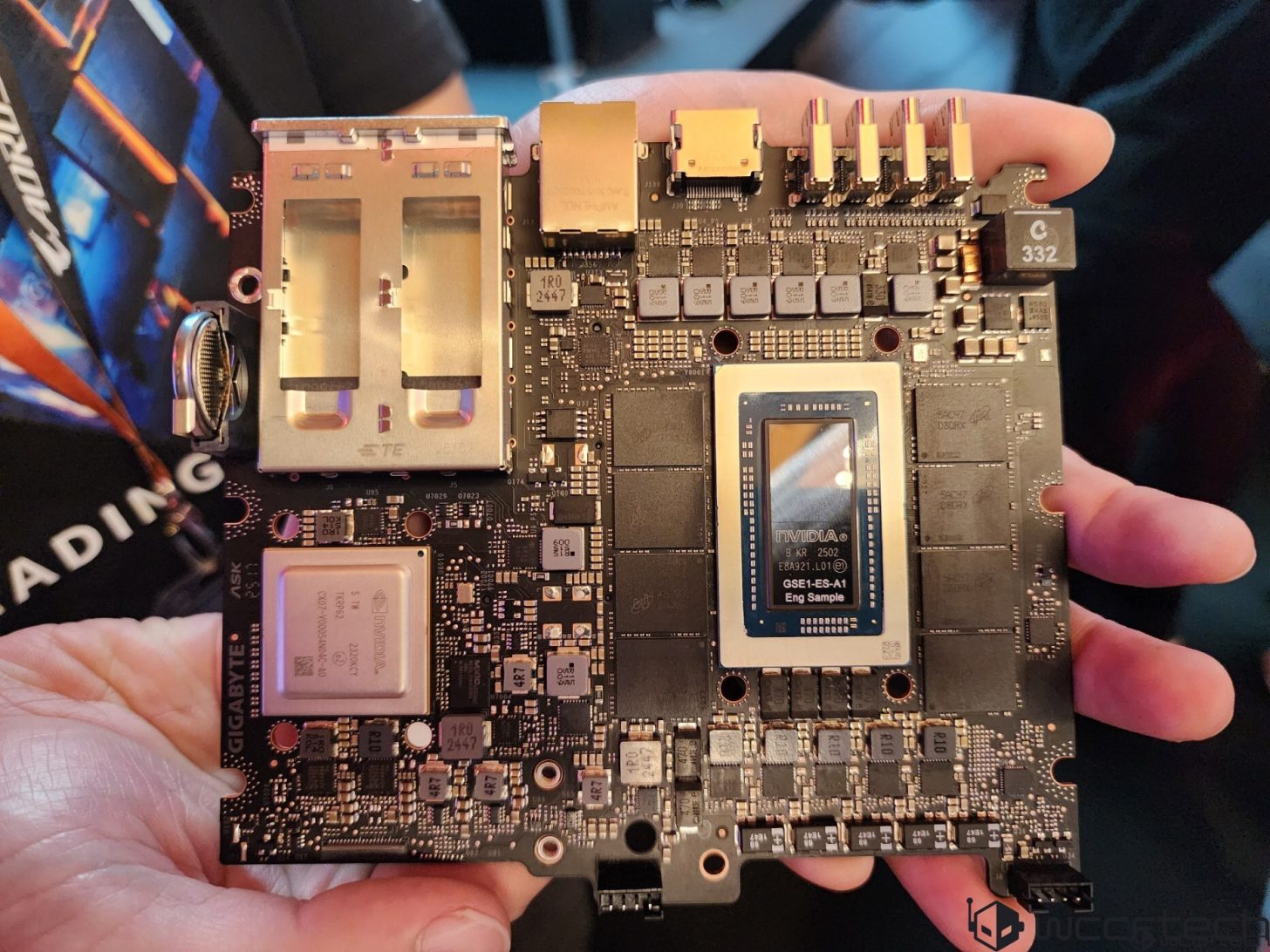
This system is built around the NVIDIA GB10 Grace Blackwell Superchip, a notable departure from the standard CPU+GPU pairings found in consumer desktops. By utilizing a unified architecture, the ATOM eliminates many of the latency issues that plague traditional systems when moving data between the processor and the graphics card. According to Gigabyte's official specifications, the system is optimized for "AI TOP" workloads, which include local fine-tuning of Large Language Models (LLMs) and complex Retrieval-Augmented Generation (RAG) pipelines.
The target audience for this device consists of data scientists, academic researchers, and enterprise developers who need to prototype models locally before scaling to the cloud. It provides a "sandbox" environment that mirrors the architecture of larger Blackwell-based data centers, making the transition from local development to global deployment seamless.
To understand why the ATOM ranks among the top options for AI, one must look at its internal architecture. Unlike a standard PC that uses an Intel or AMD x86 processor, the ATOM is powered by an ARM-based CPU. Specifically, it features a 20-core configuration consisting of 10x Cortex-X925 performance cores and 10x Cortex-A725 efficiency cores. This architecture is notably innovative because it prioritizes the specific instruction sets required for AI data pre-processing and model management.
The most significant advancement in the GB10 architecture is the 128GB of LPDDR5x coherent unified memory. In a traditional PC, the CPU has its own RAM (e.g., 64GB DDR5) and the GPU has its own VRAM (e.g., 24GB GDDR6X). When an AI model runs, data must be constantly swapped between these two pools over the PCIe bus, creating a massive bottleneck.
In the ATOM, the 128GB of memory is shared equally and coherently between the CPU and the GPU. This means the GPU can access the full 128GB pool at high speeds without waiting for the CPU to "hand off" data. With a 256-bit interface providing 273 GB/s of bandwidth, the ATOM can load and run models that would simply crash a standard workstation. This makes it an excellent choice for running 70B parameter models like Llama 3 with high context windows.
When evaluating the ATOM, raw numbers like "1 Petaflop" can be misleading without context. In real-world testing, this compute power translates to exceptionally strong performance in FP4 (4-bit floating point) quantization. Many modern LLMs are now being released in 4-bit versions to save space, and the ATOM is hardware-accelerated to handle these specific calculations.
One of the most discussed aspects of the ATOM in developer circles is its 96W GPU power limit. While a consumer card like the RTX 4090 can draw upwards of 450W, the ATOM is capped at 96W. At first glance, this might seem like a disadvantage, but it is actually a deliberate design choice for thermal stability. By capping the power, Gigabyte ensures the system can run at 100% load for weeks during a fine-tuning job without thermal throttling or hardware degradation.
| Metric | Gigabyte AI TOP ATOM | Dual RTX 4090 Build | NVIDIA DGX Spark |
|---|---|---|---|
| Memory Type | 128GB Unified LPDDR5x | 48GB Total VRAM (GDDR6X) | 128GB Unified LPDDR5x |
| Bandwidth | 273 GB/s | ~2,000 GB/s (Combined) | 273 GB/s |
| Power Draw | ~150W (Total System) | ~1,000W (Total System) | ~150W (Total System) |
| FP4 Compute | 1 Petaflop | ~1.3 Petaflops | 1 Petaflop |
As shown in the table, while the RTX 4090 has higher raw bandwidth, the ATOM's 128GB of unified memory allows it to handle much larger models. A dual 4090 setup is limited to 48GB of VRAM; any model larger than that will suffer a massive performance hit as it spills over into system RAM. The ATOM, by contrast, maintains consistent performance up to its 128GB limit.
Despite its high-end positioning, early adopters of the ATOM have identified a few "growing pains" that require technical intervention. Addressing these issues is essential for maintaining a stable development environment.
A common report in community forums involves the fans running at high RPMs even when the system is idle. Users have noted that after loading a model via vLLM, the fans may stay at 60-70% speed even if the GPU temperature is a cool 39°C and the load is only 9W. This is typically caused by the firmware's aggressive "cooldown" profile which fails to reset after a compute spike.
To fix this, users should ensure they are using the AI TOP Utility to manage fan curves rather than relying on the default BIOS settings. Adjusting the "Zero RPM" threshold in the utility usually resolves the issue, allowing for the "cool and quiet" operation promised in the marketing materials.
Another point of confusion is the reported available memory. Some systems report 119GB of available RAM, while others show 122GB. This discrepancy is usually tied to the BIOS version. The February 2026 BIOS update is widely considered one of the most stable releases, as it optimizes the memory allocation for the ARM cores, freeing up an additional 3GB for GPU tasks. If your system is reporting 119GB, a BIOS flash is highly recommended.
One of the most compelling features of the ATOM is its scalability. Each unit comes equipped with an NVIDIA ConnectX-7 NIC, which includes a QSFP port on the rear I/O. This allows you to link two ATOM units directly using a high-speed cable, effectively doubling your resources.
When clustered, the two units provide 256GB of unified memory and 2 Petaflops of FP4 compute. This is the threshold required to run the Llama 3 405B parameter model locally. In testing, the NCCL (NVIDIA Collective Communications Library) port speeds between two ATOM units have shown near-theoretical performance, meaning there is very little overhead when the two units communicate. This makes the ATOM a popular choice for building a "mini-cluster" that can handle the largest open-source models available today.
The decision between an ATOM and a custom x86 build with multiple RTX 4090s often comes down to Total Cost of Ownership (TCO) and specific workload requirements. As of August 2026, the ATOM's retail price has stabilized around $5,999, though some early "reviewer" units were spotted as low as $3,500.
Choose the ATOM if:
Choose a Multi-GPU x86 Build if:
The ATOM is part of the "Spark" ecosystem, which includes the ASUS GX10 and the NVIDIA reference design. While they share the same GB10 chip, the implementations differ significantly in thermal management and build quality.
According to technical reviews from StorageReview, the Gigabyte ATOM features a more robust cooling solution than the ASUS GX10. Users have reported that the ATOM maintains lower delta temperatures under sustained load, which is critical for the longevity of the LPDDR5x modules. Additionally, Gigabyte's AI TOP Utility provides a more granular level of control over the system's power states compared to the more basic software provided with the ASUS variant.
"The Gigabyte ATOM sets a high standard for the Spark ecosystem, offering a balance of thermal headroom and software integration that few competitors match in the current market."
No, the ATOM uses an ARM-based architecture (NVIDIA Grace) which is not compatible with standard x86 Windows. It ships with NVIDIA DGX OS, a specialized version of Ubuntu Linux optimized for AI workloads. While Windows on ARM exists, there are currently no official drivers for the GB10's AI acceleration features on that platform.
No. The 128GB of LPDDR5x memory is soldered directly to the GB10 Superchip to achieve the 273 GB/s bandwidth. This unified memory architecture requires extremely short traces between the memory and the processor, making traditional DIMM slots impossible. Users should choose their capacity (128GB is the current standard) based on their long-term model requirements.
Under a sustained 96W GPU load, the fans typically reach between 42 and 45 decibels. While this is audible in a quiet room, it is significantly quieter than a high-end gaming PC or a rack-mounted server. However, as noted in the troubleshooting section, firmware bugs can sometimes cause the fans to spin faster than necessary, which can be fixed via the AI TOP Utility.
Yes. The Gigabyte AI TOP ATOM is fully equipped for modern networking. It includes a 10GbE Ethernet port for fast data transfers from local NAS storage and supports Wi-Fi 7 and Bluetooth 5.3 for wireless connectivity. This makes it easy to integrate into existing high-speed office networks.
The February 2026 BIOS update is currently the recommended version. It addresses the "119GB vs 122GB" reporting issue and includes several thermal profile optimizations that prevent the idle fan bug seen in the December 2025 launch firmware.
For researchers seeking a reliable, quiet, and exceptionally capable local AI workstation, the Gigabyte AI TOP ATOM represents a significant step forward in personal computing.
All trademarks, copyrighted content, and quoted material referenced in this article belong to their respective owners. Brief excerpts are used under fair use (17 U.S.C. § 107) for purposes of commentary, criticism, and informational reporting. This article is not affiliated with or endorsed by NVIDIA or Gigabyte.
