
The GIGABYTE AI TOP ATOM is a 1-liter workstation designed to replace expensive cloud GPU rentals with local, private compute. Built on the NVIDIA DGX Spark platform, it features the GB10 Grace Blackwell Superchip and 128GB of unified memory, making it a top-tier choice for running 70B+ parameter models like Llama 3.1.
For years, AI developers and researchers have been tethered to cloud providers like AWS and Lambda Labs, paying high hourly rates for H100 or A100 instances. The GIGABYTE AI TOP ATOM represents a significant shift in this paradigm. By packing data-center-grade Blackwell architecture into a chassis no larger than a thick paperback book, it allows developers to own their compute stack entirely.
As of 2026, the demand for local inference has surged, driven by privacy concerns and the release of massive open-weights models. The ATOM stands out as a top choice because it addresses the primary bottleneck of local AI: Video RAM (VRAM). With 128GB of coherent unified memory, it bypasses the limitations of traditional consumer GPUs, enabling the execution of complex models that would otherwise require a multi-GPU server rack.
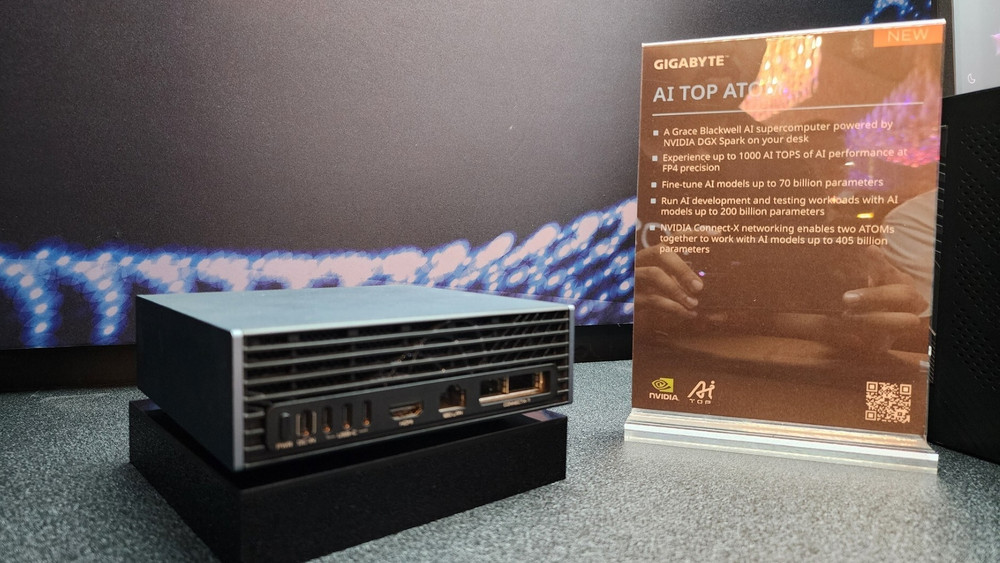
The heart of the ATOM is the NVIDIA GB10 Grace Blackwell Superchip. Unlike traditional PC builds where the CPU and GPU are separate entities connected via a PCIe bus, the GB10 utilizes a "Superchip" design. This architecture is a direct descendant of the high-end Grace Blackwell systems used in massive AI clusters, scaled down for the "Spark" platform.
The GB10 designation is critical. It features a 20-core Arm-based CPU, specifically utilizing a combination of 10x Cortex-X925 high-performance cores and 10x Cortex-A725 efficiency cores. While some early retail listings erroneously cited "Cortex-X295" cores, technical documentation confirms the X925 architecture, which provides a notable advancement in instructions-per-clock (IPC) for AI-adjacent workloads.
This Arm-based foundation is optimized for the NVIDIA DGX OS, a specialized Ubuntu distribution. Because the CPU and GPU share the same silicon fabric, data transfer latencies are significantly reduced compared to x86-based systems. This efficiency is what allows a 240W device to compete with much larger, power-hungry desktop workstations.
The most significant feature for LLM enthusiasts is the 128GB of LPDDR5X Coherent Unified Memory. In a standard PC, a model must fit within the VRAM of the graphics card (e.g., 24GB on an RTX 4090). If the model is larger, it "spills over" into system RAM, causing performance to plummet due to the slow PCIe bottleneck.
According to StorageReview's technical analysis, the ATOM's memory operates at 8533 MT/s with a 256-bit interface, providing a total bandwidth of 273 GB/s. While this is lower than the 1 TB/s+ found on H100s, the "coherent" nature of the memory means the CPU and GPU can access the same data simultaneously without copying it back and forth. This makes the ATOM exceptionally strong for Large Language Models (LLMs) that require massive memory footprints but don't necessarily need the raw compute throughput of a full-sized server.
Marketing claims of "1 Petaflop of FP4 performance" can be difficult to translate into daily use. In practical terms, the ATOM is designed for inference and fine-tuning of state-of-the-art models. It is not intended to train a foundation model from scratch, but it is widely regarded as one of the best tools for RAG (Retrieval-Augmented Generation) and local hosting.
The Llama 3.1 70B model is the current benchmark for high-end local AI. On a standard workstation, running this model at high precision requires two or three RTX 4090s. The AI TOP ATOM handles 70B models with ease, leaving ample memory for large context windows (up to 128k tokens). Based on GIGABYTE's official capacity claims, the system can support models up to 200 billion parameters in a standalone configuration.
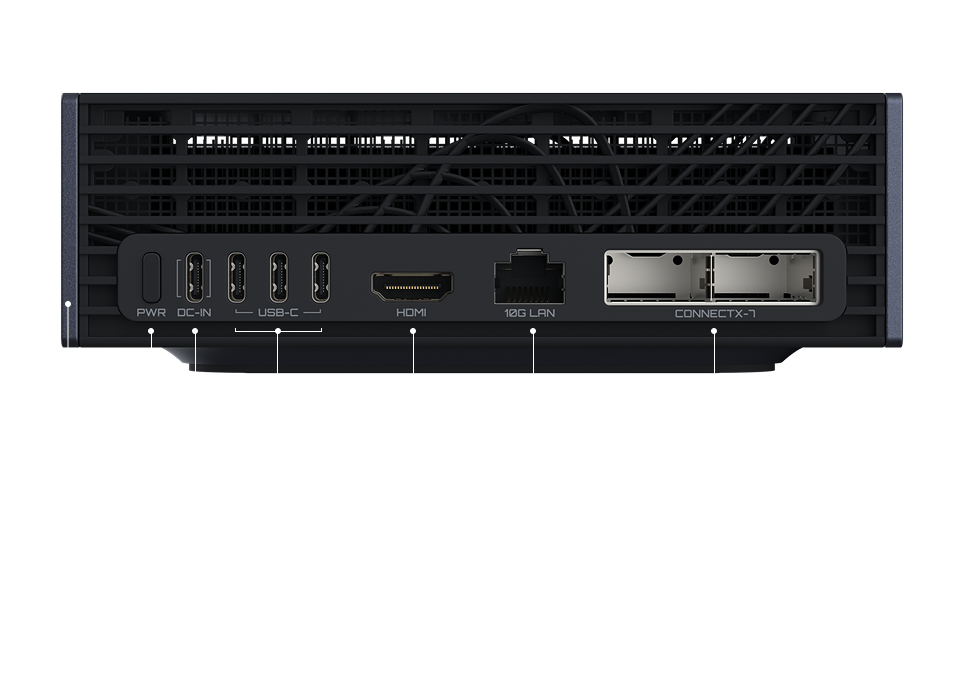
For the massive Llama 3.1 405B, a single ATOM is insufficient. However, the inclusion of an NVIDIA ConnectX-7 SmartNIC allows two ATOM units to be linked. This 200G interconnect effectively doubles the available memory to 256GB, enabling the execution of 405B models at lower quantization levels (such as FP4 or INT4).
Inference speed, measured in Tokens Per Second (TPS), varies by model size and quantization. Based on early testing of the Blackwell architecture on the Spark platform, users can expect the following performance ranges:
| Feature | GIGABYTE AI TOP ATOM | Mac Studio (M3 Ultra) | Dual RTX 4090 Build |
|---|---|---|---|
| Price (Approx) | $5,299 | $5,599+ | $4,500 - $6,000 |
| Total Memory | 128GB (Unified) | 128GB - 192GB (Unified) | 48GB (VRAM) + System RAM |
| Memory Bandwidth | 273 GB/s | 800 GB/s | 1,008 GB/s (VRAM only) |
| AI Perf (TFLOPS) | 1,000 (FP4) | ~50 (Neural Engine) | ~1,600 (Tensor Cores) |
| OS Support | NVIDIA DGX OS (Linux) | macOS | Windows / Linux |
| Form Factor | 1-Liter (Ultra Compact) | 3.7-Liter | Full Tower (Large) |
While the hardware is impressive, the GIGABYTE AI TOP ATOM is a professional tool, not a consumer "plug-and-play" appliance. There are specific technical hurdles that early adopters have documented, particularly regarding software stability and physical maintenance.
A significant pain point identified by the developer community involves the GIGABYTE AI TOP Utility. This software provides a user-friendly dashboard for downloading models and monitoring system health. However, as noted in ServeTheHome forum discussions, there is a recurring conflict between GIGABYTE's tools and the underlying NVIDIA DGX OS.
If a user updates the DGX OS to the latest version provided by NVIDIA before GIGABYTE has validated it, the AI TOP Utility may break or lose functionality. This "versioning clownery" forces users to choose between having the latest security patches from NVIDIA or maintaining the ease of use provided by GIGABYTE's proprietary software. For enterprise users, this necessitates a strict staging environment for updates.
The 1-liter chassis is a marvel of engineering, but it comes at the cost of serviceability. Unlike the competing ASUS GX10, which uses a relatively simple magnetic or screw-based entry, the GIGABYTE ATOM's base is notoriously difficult to remove. Reviewers have noted that even after removing the visible screws, the base requires specific leverage points that are not documented in the quick-start guide.
Do not force the base! If you intend to upgrade the internal NVMe storage, be aware that the chassis clips are extremely tight. Applying pressure in the wrong area can damage the internal ribbon cables connecting the front I/O ports.
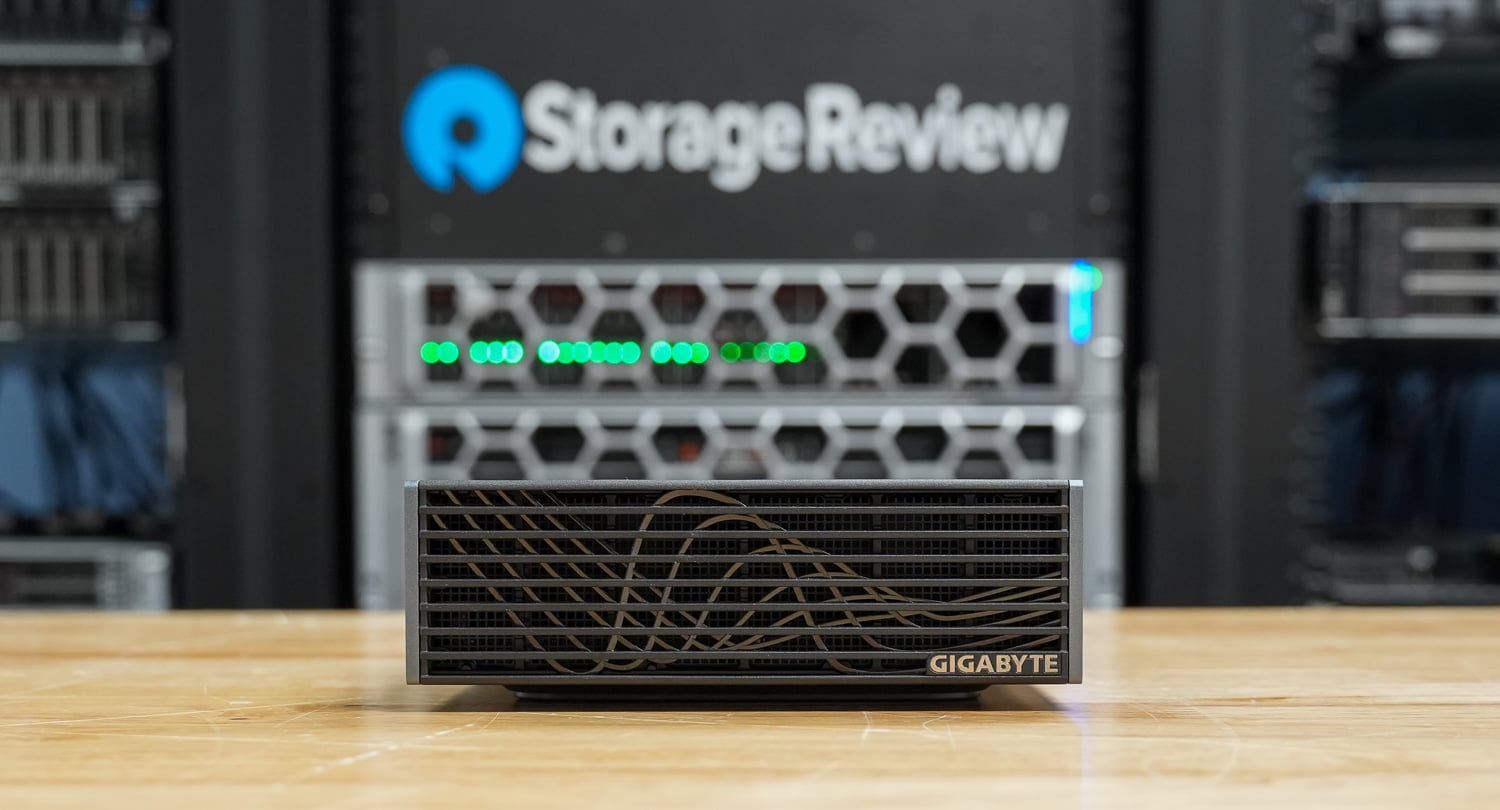
Furthermore, while the system supports PCIe Gen5 storage, thermal management is a concern. The "wave pattern" front grille is designed for airflow, but under sustained 240W workloads, the internal Gen5 SSD can reach temperatures that trigger thermal throttling. This is a common trade-off in ultra-compact compute nodes.
Setting up the ATOM requires a basic familiarity with the Linux command line, although GIGABYTE has attempted to streamline the process for Windows-centric users via the AI TOP dashboard.
The system typically ships with NVIDIA DGX OS pre-installed. This is an Ubuntu-based distribution that comes pre-configured with the NVIDIA Container Toolkit, CUDA drivers, and optimized kernels for the Grace Blackwell architecture. To get started:
The ATOM often ships with a Samsung PME91 Gen5 enterprise drive. Interestingly, testing from StorageReview suggests that this stock drive often outperforms popular retail Gen5 SSDs like the Corsair MP700 in sequential workloads. If you decide to upgrade, ensure you choose a drive with a low-profile heatsink, as vertical clearance inside the 1-liter chassis is nearly non-existent.
One of the most compelling reasons to choose the ATOM over a Mac Studio is its ability to scale. The inclusion of the NVIDIA ConnectX-7 SmartNIC is a high-end feature rarely seen in this price bracket. This allows for 200Gbps networking between units.
By linking two units, you create a "Personal Supercomputer" with 256GB of unified memory. This configuration is notably innovative because it provides a path for researchers to start with one unit and expand their hardware as their model requirements grow, rather than being forced to buy a $30,000 server upfront.
Is a $5,299 investment justifiable? For many professional developers, the Return on Investment (ROI) is achieved in less than a year. Consider the following comparison based on 2026 market rates:
If you utilize AI compute for 20 hours a week, a cloud H100 would cost approximately $2,600 per year. If you are a full-time researcher using it 40+ hours a week, the ATOM pays for itself in roughly 6 to 8 months. Furthermore, the ATOM offers data privacy—your proprietary data never leaves your local network, which is a requirement for many legal and medical AI applications.
"The shift toward local AI isn't just about cost; it's about the sovereignty of your data and the ability to iterate without a meter running in the background."
No, the 128GB of LPDDR5X memory is soldered directly to the GB10 Superchip module to ensure maximum bandwidth and low latency. This is a common design choice in unified memory architectures (similar to Apple's M-series chips). If you require more memory, the recommended path is to link a second ATOM unit via the ConnectX-7 interface to reach 256GB.
While the hardware is technically capable of running Arm-based versions of Windows, the system is specifically designed and optimized for NVIDIA DGX OS (Linux). Most AI libraries (PyTorch, TensorFlow, vLLM) perform significantly better in a native Linux environment. Users who require Windows can use WSL2 (Windows Subsystem for Linux), but for the best performance, staying within the DGX OS ecosystem is highly recommended.
Given the 1-liter form factor and 240W power draw, the ATOM does generate significant heat. The internal blower fan is audible under heavy inference loads, similar to a high-end gaming laptop. However, GIGABYTE's "wave pattern" grille and thermal management system are designed to prevent the high-pitched "whine" often found in small-form-factor servers. In a typical office environment, the noise is noticeable but not disruptive.
Both systems are based on the NVIDIA DGX Spark reference design. The primary differences lie in the chassis design and software utilities. The ASUS GX10 is often cited for having a slightly easier-to-open chassis for storage upgrades. However, the GIGABYTE AI TOP ATOM has shown better thermal stability in sustained, multi-hour workloads due to its specific airflow pattern. GIGABYTE also provides a more comprehensive "AI TOP" software suite for model management.
Technically, yes, but it is a poor value for those tasks. The GB10 is a compute-first architecture. While it can output a display via HDMI/USB-C, many Linux-based games are not optimized for Arm CPUs. This is a specialized tool for AI development, data science, and high-performance computing. Using it as a primary gaming rig would be like using a tractor to drive on a highway—it works, but it's not what it was built for.
If you are a researcher or enterprise developer focused on local LLM inference and RAG, the GIGABYTE AI TOP ATOM offers a strong value proposition that few alternatives can match in this form factor.
Next Step: Before purchasing, verify that your specific AI workflow supports Arm-based Linux environments to ensure a smooth transition from x86 systems.
