
The landscape of local artificial intelligence development has shifted significantly with the introduction of the Gigabyte AI TOP ATOM. As researchers and developers seek to move away from the recurring costs and privacy concerns of cloud-based A100 or H100 instances, the demand for a "personal supercomputer" has reached a fever pitch. The AI TOP ATOM, built on the NVIDIA GB10 Grace Blackwell platform, represents a major step forward in bringing enterprise-grade compute to the desktop environment.
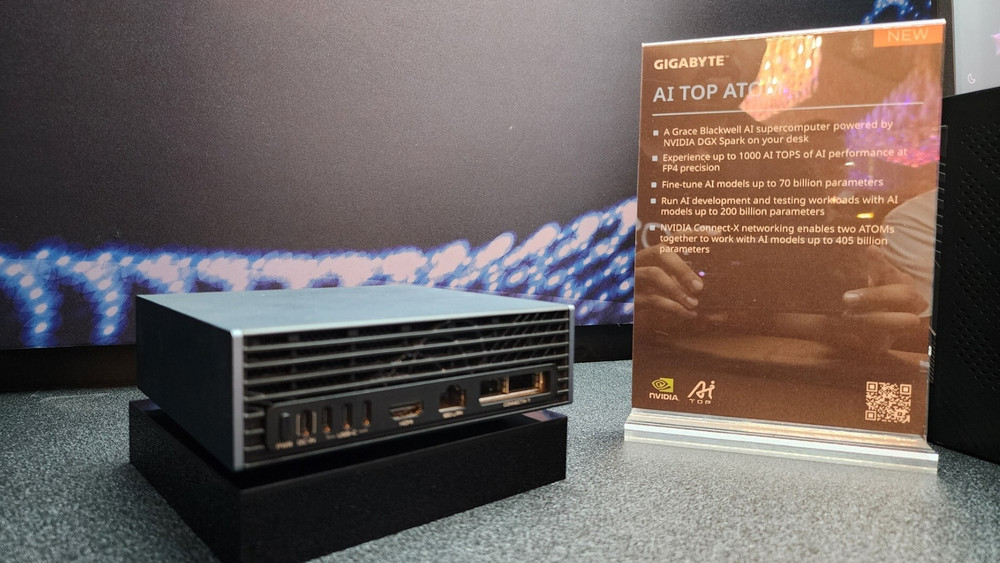
Unlike traditional workstations that rely on discrete GPUs and limited VRAM, the AI TOP ATOM utilizes a unified memory architecture that allows for the training and inference of massive Large Language Models (LLMs) that were previously inaccessible on consumer hardware. According to Gigabyte's official specifications, this unit is designed to handle models with up to 200 billion parameters on a single node, making it a top-tier choice for modern AI workflows.
At first glance, the AI TOP ATOM might look like a compact desktop PC, but its internal architecture is fundamentally different from a standard x86 workstation. The core distinction lies in the NVIDIA GB10 Grace Blackwell Superchip. While a standard workstation uses a CPU (Intel or AMD) and a GPU (NVIDIA RTX) connected via the PCIe bus, the ATOM uses a coherent, unified memory system.
In a traditional setup, data must be constantly moved between the system RAM and the GPU's VRAM. This creates a bottleneck, especially when working with LLMs that exceed the 24GB limit of a consumer card like the RTX 4090. The AI TOP ATOM features 128GB of LPDDR5X memory that is shared between the 20-core Arm CPU and the Blackwell GPU. This coherence means the GPU can access the full 128GB pool with high bandwidth, effectively eliminating the VRAM wall that plagues DIY builds.
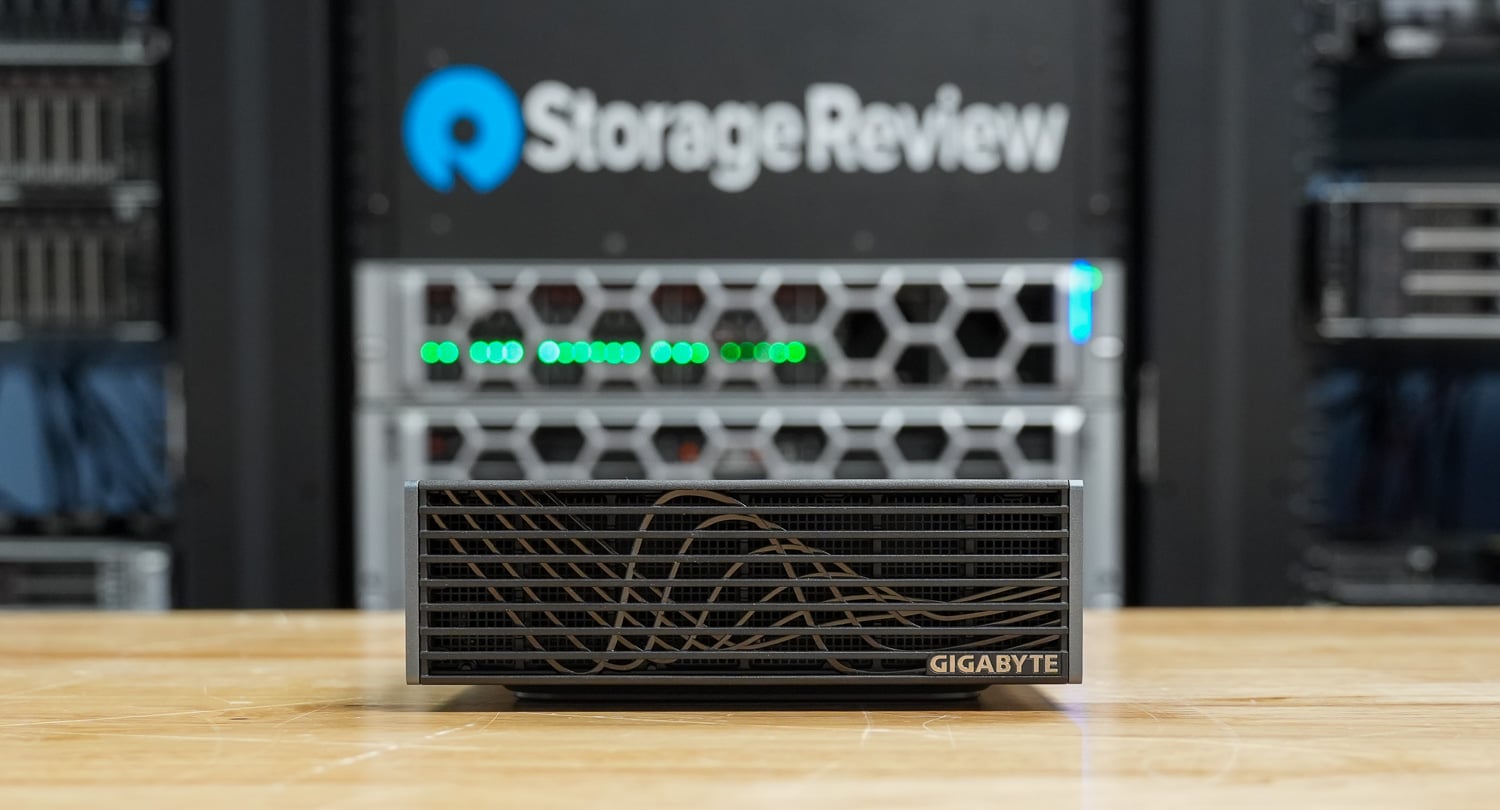
Physical form factor is another area where the ATOM stands out as a top choice. Enterprise AI servers are typically rack-mounted, loud, and require specialized 220V power circuits. The AI TOP ATOM is designed for the desktop. It fits into a standard office environment, drawing significantly less power than a full server rack while providing compute capabilities that rank among the top in its class. This "Personal Supercomputer" value proposition is central to why startups and academic researchers are adopting the platform for local privacy and cost control.
The headline figure for the AI TOP ATOM is its 1 Petaflop of FP4 computing power. To understand what this means for real-world training, we have to look at the specific configuration of the Arm-based Grace Blackwell Superchip. The system features a 20-core Arm CPU, consisting of 10x high-performance Cortex-X925 cores and 10x efficiency-focused Cortex A725 cores. This hybrid approach allows the system to handle background OS tasks efficiently while dedicating maximum resources to AI compute.
FP4 (4-bit Floating Point) is a relatively new data format that allows for significantly higher throughput in AI workloads without a proportional loss in model accuracy. By utilizing FP4, the AI TOP ATOM can process tokens at a rate that few alternatives compare to in the desktop space. For inference, this translates to lightning-fast response times even for complex models. For training, it means that fine-tuning a 70B parameter model can be completed in hours rather than days.
Many developers consider building a workstation with four RTX 4090 GPUs as an alternative. While a DIY build might offer more raw CUDA cores, it faces significant hurdles that the AI TOP ATOM solves out of the box. The primary issue is the interconnect. Consumer GPUs are limited by PCIe bandwidth, whereas the ATOM's unified architecture provides a much tighter integration between compute and memory.
| Metric | Gigabyte AI TOP ATOM | DIY 4x RTX 4090 Build |
|---|---|---|
| Total Memory | 128GB Unified (Coherent) | 96GB VRAM (Non-Coherent) |
| Power Draw | ~150W - 200W Total | 1600W+ Total |
| Interconnect | Internal High-Speed Fabric | PCIe Gen4/5 (Bottlenecked) |
| Software Setup | Pre-configured DGX OS | Manual Driver/CUDA Config |
| Form Factor | Ultra-Compact Desktop | Large Full-Tower / Rack |
The hidden costs of DIY builds often include the need for a 1600W+ power supply, custom cooling solutions to prevent thermal throttling, and the time spent troubleshooting driver conflicts. The AI TOP ATOM comes pre-configured with NVIDIA DGX OS (an Ubuntu-based distribution optimized for AI), which can save developers days of environment setup. For those who value their time, the ATOM stands out for its "plug-and-play" readiness.
The AI TOP ATOM is Gigabyte's implementation of the NVIDIA DGX Spark reference design. However, Gigabyte has made several modifications that make it a strong contender against the reference unit. The most notable change is the chassis. While the NVIDIA reference design uses a gold-themed enclosure, Gigabyte opted for a sleek black chassis with improved ventilation.
Testing from community experts like Level1Techs suggests that Gigabyte's cooling solution provides slightly better thermal headroom than the reference Spark. This is critical because the GB10 chip is highly sensitive to heat. By maintaining lower temperatures, the ATOM can sustain its 96W GPU power limit for longer periods without throttling, leading to more consistent performance in long-running training jobs.
Pricing for these units is volatile, ranging from $3,500 for base 1TB models to $5,999 for fully loaded configurations. The Gigabyte version is often more accessible to individual researchers than the NVIDIA-branded units, which are frequently sold through enterprise-only channels with strict minimum order quantities. This makes the ATOM one of the strongest options for independent developers and small AI labs.
One of the most powerful features of the AI TOP ATOM is its ability to scale. Each unit is equipped with an NVIDIA ConnectX-7 SmartNIC, supporting 200GbE networking. This allows multiple ATOM units to be linked together to form a larger cluster, effectively multiplying the available compute and memory.
When clustering ATOM nodes, there is a critical technical constraint known as the "Rule of 2 or 4." Community wisdom from the NVIDIA forums suggests that 3-node clusters often fail to scale efficiently in tensor parallel tasks. To achieve optimal performance, you must scale in increments of 2 or 4. A 4-node cluster provides a massive 4 PFLOPS of FP4 performance and 512GB of unified memory, capable of running the largest open-source models like Llama 3 405B.
To achieve low-latency communication between nodes, the system utilizes RoCE (RDMA over Converged Ethernet). This requires a specialized RoCE-capable switch, which typically costs upwards of $1,500. While this adds to the initial investment, it is a significant advancement over standard Ethernet, allowing the cluster to act as a single, cohesive supercomputer rather than a collection of independent PCs.
Despite its high-end specs, the AI TOP ATOM is not without its quirks. Early adopters have identified several issues that are important for new owners to understand. Addressing these early can prevent frustration and potential hardware downtime.
Gigabyte provides a dedicated software suite called the AI TOP Utility. This tool is designed to lower the barrier to entry for local AI development, offering a user-friendly interface for managing complex models.
While the utility is helpful for beginners, advanced users will likely spend most of their time in the terminal using the pre-installed NVIDIA DGX OS. The combination of a user-friendly GUI and a robust Linux backend makes the ATOM a popular choice for teams with varying levels of technical expertise.
Acquiring an AI TOP ATOM requires some strategic planning due to fluctuating availability and regional pricing differences. As of mid-2026, the market has stabilized somewhat, but there are still ways to optimize your purchase.
The base model typically comes with a 1TB SSD, but most developers find this insufficient for storing multiple large model weights and datasets. The 4TB PCIe 5.0 configuration, often priced around $4,000, is widely considered the best value. It provides the necessary storage speed and capacity to keep the Blackwell GPU fed with data without bottlenecking.
For professional users in the European Union, there is a notable acquisition strategy. By purchasing through B2B channels and deducting VAT, some users have secured units for approximately $3,300. When you factor in the extreme power efficiency of the Arm-based Grace Blackwell chip compared to a multi-GPU x86 build, the total cost of ownership (TCO) over two years becomes exceptionally strong.
While marketing claims the unit is quiet, real-world feedback is mixed. At idle, the fans are audible but not distracting. However, under full AI load, the fans ramp up significantly to cool the 96W GPU and Arm CPU. It is quieter than a rack server but louder than a standard liquid-cooled gaming PC. Using the latest BIOS update is essential to minimize unnecessary fan noise.
The AI TOP ATOM is primarily designed to run NVIDIA DGX OS, which is based on Ubuntu Linux. While it is technically possible to install other operating systems, the specialized drivers for the Grace Blackwell unified memory architecture and the ConnectX-7 networking are optimized for Linux. Most AI development tools (PyTorch, TensorFlow) also perform better in a Linux environment.
The 128GB of LPDDR5X memory is soldered directly to the Superchip module to ensure maximum bandwidth and low latency; therefore, the RAM is not upgradeable. However, the system does feature standard M.2 NVMe slots, allowing you to upgrade the storage (SSD) relatively easily if you need more space for datasets.
A single node draws between 150W and 200W under load. A 4-node cluster, including the necessary RoCE networking switch, will typically draw between 800W and 1000W. This is remarkably efficient compared to an equivalent x86 cluster, which could easily exceed 3000W for the same level of compute performance.
While the Mac Studio offers excellent unified memory, the AI TOP ATOM has a distinct advantage in the AI ecosystem due to its native CUDA support. Most AI research and libraries are built first for NVIDIA hardware. Additionally, the ATOM's 200GbE networking allows for much more powerful clustering than is currently possible with consumer Mac hardware.
If you are a researcher or developer needing local, private, and high-bandwidth AI compute, the Gigabyte AI TOP ATOM is an excellent choice that balances power, size, and cost.
